

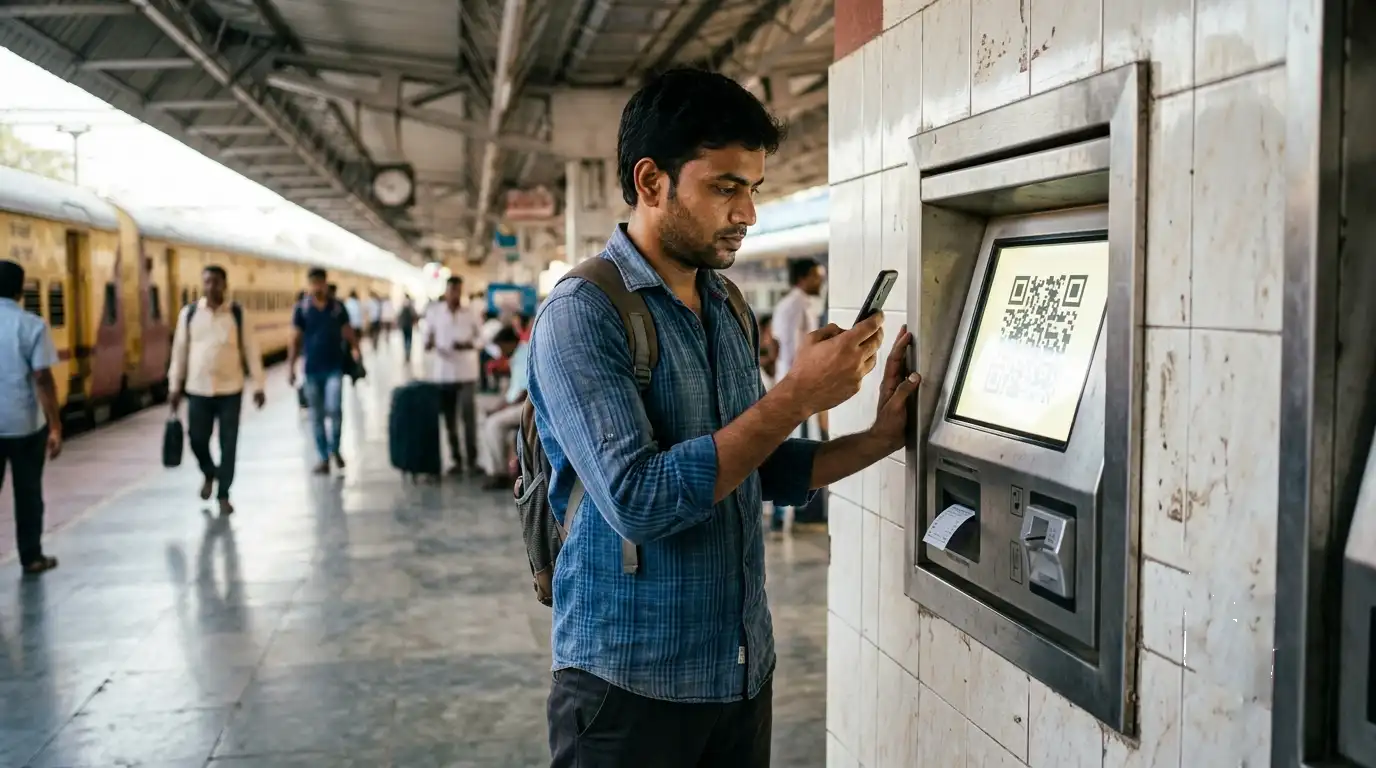
QR Code Train Tickets: Booking, ATVM Payment and Ticket Checking
QR codes now appear at several points in an Indian rail journey, and they do quite different jobs. You can scan a station QR to book an unreserved ticket, pay by UPI QR at an ATVM, and show a QR from your reserved ticket when staff check it. This guide separates the three so you know which one applies to you.
Important app change: The UTS app was discontinued in March 2026. Unreserved and season ticket booking now happens through the official RailOne app. Any older guide telling you to open UTS is out of date. See our R-Wallet guide for how balances moved across.
1. Booking an Unreserved Ticket by Scanning a Station QR
Most stations display a QR code at the entrance or near the booking office. Scanning it in the official app books your ticket without joining the queue.
- Open the official RailOne app and log in.
- Choose the QR booking option under the ticket booking menu.
- Scan the QR code displayed at the station.
- Select your destination and complete the remaining fields.
- Pay, and the ticket is generated on your phone straight away.
The scanned code confirms you are physically at that station, which is why booking works from there rather than from anywhere.
Paying from your R-Wallet earns a discount on unreserved tickets, which adds up for regular travellers.
2. Paying by UPI QR at an ATVM
This one is about payment rather than booking. Automatic Ticket Vending Machines used to require a smart card. Now they display a QR code you scan with any UPI app, so you need no card at all.
- Enter your journey details on the ATVM screen.
- At the payment stage, choose the UPI QR option.
- The machine displays a QR code.
- Scan it with any UPI app and complete the payment.
- A physical ticket prints from the machine.
The same method works for platform tickets, season ticket renewals and smart card recharges. Place the card in the slot and pay by QR to top it up.
A small saving worth knowing: Renewing a suburban season ticket at an ATVM using UPI QR payment attracts a 0.5% discount. Minor on one renewal, but it costs nothing to take.
See our ATVM guide for the full machine walkthrough.
3. The QR Code on a Reserved Ticket
This is not for booking at all. It is how ticket checking staff verify you without handling your phone or paperwork.
When you book a reserved ticket, an SMS with a QR code link goes to your registered mobile. Tap that link and the QR appears in your browser. The ticket examiner scans it with a handheld terminal, which pulls up your booking and simultaneously records that you boarded. That last part matters, because it tells the system in real time which berths are actually occupied and which are free.
You do not need to do anything to enable this. Just keep the SMS, and make sure the mobile number on your booking is correct.
4. QR Tickets on Metro Systems
Most Indian metro systems now issue QR tickets through their own apps, separate from railway ticketing:
- Chennai Metro issues single journey, return and trip passes as QR codes in the CMRL app, scanned at the gates. See our Chennai Metro guide.
- Kochi Metro offers QR tickets through the Kochi1 app, and also over WhatsApp. See our Kochi Metro guide.
- Other systems including Mumbai and Hyderabad have similar app-based QR ticketing.
A railway ticket QR will not work on a metro gate, and vice versa. The systems are separate.
Which One Do You Need?
| You want to | Use |
|---|---|
| Book an unreserved ticket without queueing | Scan the station QR in the RailOne app |
| Buy from a machine without a smart card | UPI QR payment at an ATVM |
| Renew a season ticket | RailOne app, or ATVM with UPI QR for the 0.5% discount |
| Show a reserved ticket to the TTE | The QR link in your booking SMS |
| Travel on a metro | That metro’s own app |
Why Railways Moved to QR
The shift began as a way to cut queues and cash handling, accelerated during the pandemic when contactless checking became a priority, and has stayed because it works. For passengers it means shorter queues and no need to carry a smart card. For Railways it means live occupancy data, since every scan updates the system, and less revenue leakage from ticketless travel.
Frequently Asked Questions
Which app do I use for QR ticket booking now?
The official RailOne app. The UTS app was discontinued in March 2026.
Can I book from home by scanning a QR?
No. Station QR booking requires you to scan the code displayed at that station, which is how the system confirms you are there.
Do I need a smart card to use an ATVM?
No. You can pay by UPI QR directly at the machine, using any UPI app.
Which UPI apps work at ATVMs?
Any UPI-enabled app. The machine displays a QR that your app scans in the normal way.
Is there a discount for paying by QR?
Renewing a suburban season ticket at an ATVM by UPI QR attracts a 0.5% discount. Paying from your R-Wallet also earns a discount on unreserved tickets.
How does the QR on my reserved ticket work?
An SMS with a QR link is sent when you book. Open the link, show the QR, and the examiner scans it with a handheld terminal.
Do I still need to carry ID?
Yes. QR ticketing does not replace the ID requirement. See our railway ID proof list.
Quick Summary
| App | RailOne, replacing the discontinued UTS |
| Station QR booking | Unreserved tickets, scanned at the station |
| ATVM QR | UPI payment, no smart card needed |
| Season renewal by QR | 0.5% discount at ATVMs |
| Reserved ticket QR | Sent by SMS link, for checking not booking |
| Metro QR | Separate, through each metro’s own app |
| ID proof | Still required |
QR ticketing has quietly removed most of the reasons to queue at a booking window. Get the RailOne app, keep a little balance in your R-Wallet, and you can be through a suburban station in under a minute. For more, see our guides on ATVM booking, the R-Wallet, and season tickets.
Do you book by QR at your station? Tell us in the comments how well it works in practice.